


Price Scanner
4.484.00 Reviews
App Specs
- Version
- 4.11.2
- Updated On
- License
- Free
- Downloads
- 500,000+
- Developer
- Qvyshift LLC
- Categories
- Shopping
- Platform
- Android
Screenshots
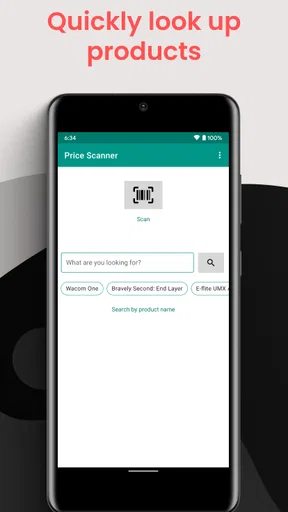
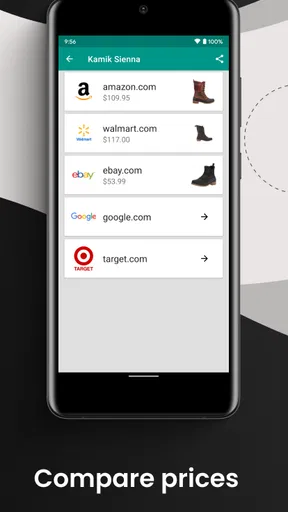
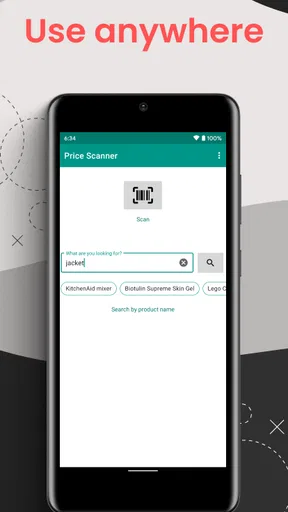
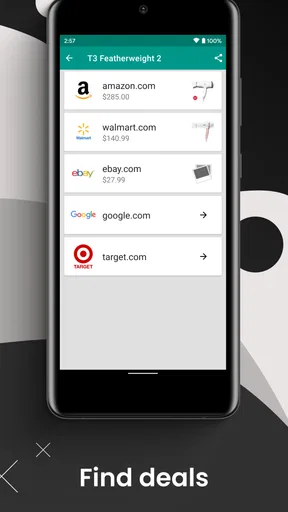
 Analysis by AppCompare
When I’m standing in a shop with a product in hand, the question is rarely just “What does this cost?” I also want to know whether the same item is available for less somewhere else, and whether the online price is worth the extra wait or delivery effort. That is the practical problem Price Scanner is built to help with: it turns a barcode into a starting point for comparing offers, rather than asking me to search several retail sites from scratch.
What the app is useful for today
Price Scanner is a free shopping app from Qvyshift LLC, with an Everyone age rating. Its central idea is straightforward: scan a product barcode and check prices from major retail sites. The app has an average rating of 4.4 from around 2,400 ratings, and more than 500,000 installs. Those figures suggest that barcode-based comparison has an audience, but the real value for me is more modest and practical: it can help answer whether it is worth pausing before I buy.
I would treat the scan as a quick comparison tool, not as a guarantee that every possible seller or purchase cost is represented. A result is only useful if it matches the exact product and the total cost makes sense. For an item with several similar versions, I check the model, size, color, or pack quantity before deciding that one offer is cheaper. That small habit matters more than a long list of prices: a lower figure for a different version is not a real saving.
How I would fit it into a shopping trip
Imagine I’m in a shop looking at a kitchen appliance I planned to replace. I scan the barcode before taking it to the till, then compare the matching results with the in-store price. If an online offer looks lower, I still weigh the delivery cost, how soon I need the appliance, and whether I trust the seller. The app can make the comparison quicker; it cannot decide whether waiting or ordering online suits my situation.
For a more useful result, I would scan while I still have the item in front of me, rather than trying to remember its details later. I’d also keep the product packaging or label visible long enough to confirm the match. This is especially helpful with electronics and household goods, where close model names can hide meaningful differences. For groceries, barcodes can identify packaged products, but a comparison is less useful when the item is sold by weight, comes in a different pack size, or is a store-brand substitute.
Where it sits among shopping alternatives
Compared with searching a retailer’s site manually, a barcode scan can save time by giving me a direct way into a product comparison. Compared with a general web search, it is more convenient when I’m already in a physical shop with the item in front of me. But a retailer’s own app may be better for checking local stock, store-specific promotions, or delivery and collection details. I would use Price Scanner to investigate the price, then check the seller’s own checkout information before placing an order.
It also makes most sense for products with clear barcodes and stable model numbers. If I’m comparing a particular appliance, book, or packaged item, matching identifiers can make the search more dependable. If I’m shopping for fresh food, clothing without a clear product code, or something where condition and seller reputation matter more than the headline price, I’d start with another method. The app is a useful shortcut in the right aisle, not a universal answer to every shopping question.
Worth Reading Before You Choose

EA SPORTS FC Mobile 26 Is a Bigger Football Game, but It Takes Time

Flipboard Shows What News Apps Must Do Beyond the Feed

Switching to Android Auto Means Rethinking Your Driving Routine

Google Calendar Makes a Crowded Week Easier to Manage

Ludo King Makes the Most of the Minutes Between Plans

Baby Panda World Brings Quick Play to Modern Phones, but Its Game Library Feels Busy
Small checks that can prevent a bad comparison
I wouldn’t stop at the first low price. I’d check whether the listed offer is for the same quantity and version, and then consider delivery charges, availability, and the time it will take to arrive. A price comparison can look convincing while leaving out the detail that changes the decision. If I only need an item today, paying a little more locally may be a better choice than waiting for a cheaper online order.
For larger purchases, I’d use a scan as the first step, then verify the exact listing and terms directly with the retailer. For an inexpensive item, the time spent comparing every result may outweigh the possible saving. This is the main trade-off: scanning reduces the effort of finding alternatives, but it doesn’t remove the need for a quick reality check. I find it most worthwhile when the purchase is costly enough that a few minutes of checking could make a meaningful difference.
Getting Started with Price Scanner
So, setting up Price Scanner is a breeze. Once you’ve downloaded it from your app store of choice, the whole process of getting up and running takes just a few minutes. The interface is super intuitive, making it easy to navigate right from the get-go.
When you open the app, you’re greeted with a clean, minimalist design. No clutter, just the essentials. I’m a big fan of apps that don’t bombard me with ads or unnecessary pop-ups, and Price Scanner does a great job at keeping things streamlined.
Scanning and Comparing Prices
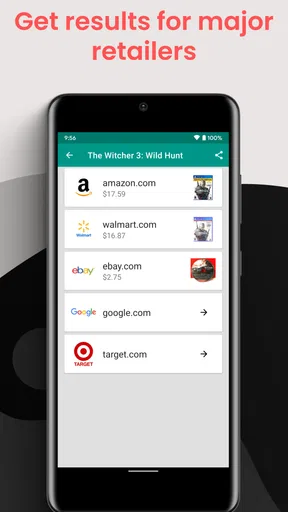
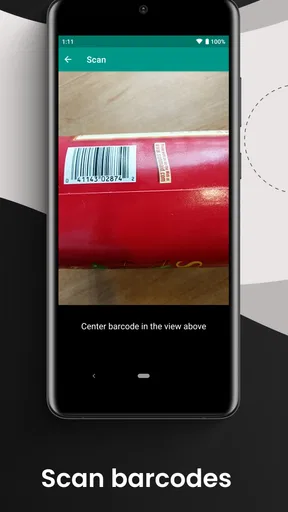
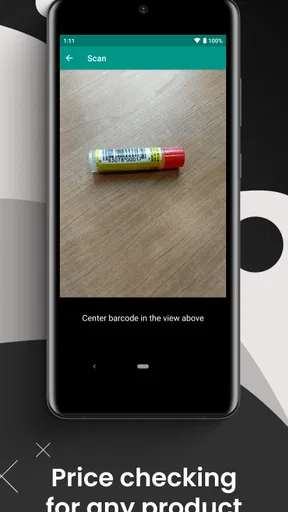
The main feature, of course, is the scanning function. You simply use your phone’s camera to scan the barcode of any product. The app then does its magic and pulls up a list of prices from various retailers. It’s so satisfying to see all the options laid out right in front of you. No more hopping from website to website trying to compare prices manually!
I tested it out on a few different items — everything from electronics to groceries — and it was impressively accurate. The app also provides links to the retailers’ sites, so if you find a better deal online, you can purchase it directly. It’s like having a personal shopping assistant in your pocket.
Extra Features Worth Noting
One feature I found particularly cool is the price history tracker. It shows you how the price of an item has changed over time. This is perfect if you’re the type who likes to wait for the best possible deal or if you’re planning a big purchase and want to make sure you’re timing it right.
There’s also a wishlist feature that lets you keep track of items you’re interested in. You can set price alerts, so the app notifies you when the price drops. It’s a great way to ensure you never miss out on a bargain.
Real-World Usability
In terms of usability, I took the app for a spin during my weekly grocery run. It was surprisingly convenient. I scanned a few items to check if I could get them cheaper elsewhere, and the app delivered. Knowing I was getting the best price made me feel like a savvy shopper.
I also appreciate that the app doesn’t drain my battery or hog my data. It’s lightweight, which is always a plus for someone who’s constantly juggling multiple apps on their phone.
Version, history, and what to expect
The current release is version 4.11.2, and Price Scanner first appeared on April 28, 2019. That gives the app a longer track record than a brand-new comparison tool, although a version number by itself doesn’t tell me which features changed or how the interface evolved. I would judge it by what is available in the current app rather than assuming every past update brought a particular improvement.
For someone who already uses the app, the sensible approach is to keep expectations tied to the functions they can see: barcode comparisons, product history, a wishlist, and alerts. If a familiar item no longer appears as expected, I’d rescan its barcode and carefully check the product match before concluding that the offer has changed. On price-sensitive purchases, I’d still open the retailer’s page and confirm the details before buying.
Who should use it, and who may prefer another approach
I’d recommend trying it if you often compare branded products while shopping in person, especially items with a clear barcode and a model or package that is easy to match. It can also suit someone planning a larger purchase who wants to keep an eye on an item rather than repeatedly searching for it. A wishlist and price alerts are most helpful when you can wait; they are less useful when you need the product immediately.
I’d skip relying on it as my only source if I mainly shop for fresh produce, local services, second-hand goods, or items whose condition changes the value. Those decisions usually need details a barcode cannot settle. Likewise, if a store’s own app is essential for checking nearby stock or a local offer, I’d use that alongside the comparison rather than expecting one tool to cover both jobs.
The app is free to install, while in-app purchases are listed at $2.99 per item. I’d check the purchase prompt before confirming anything and decide whether an optional purchase is worthwhile for my own routine. The important point is that the basic appeal is easy to understand without treating every extra as necessary: the app’s value depends on whether its comparisons save me enough time or money to earn a place in my shopping habits.
Final Thoughts
Overall, Price Scanner is a solid app for anyone looking to save a few bucks. Whether you’re a seasoned bargain hunter or just someone who doesn’t want to overpay, this app offers a seamless experience that makes shopping smarter, not harder.
From its easy-to-use interface to its robust features, it’s evident that a lot of thought has gone into making Price Scanner a must-have tool for the modern shopper. So, if you’re ready to take your shopping game to the next level, give it a try. You might just find it as indispensable as I have!
My bottom line
I’d keep Price Scanner in mind as a quick way to challenge an in-store price, especially for a planned purchase where I have time to compare. I wouldn’t treat a scan as the final word: matching the exact item and checking the final checkout cost remain part of the job. Used with that little bit of care, it can make comparison shopping less tedious. If I need local inventory, a guaranteed same-day option, or a comparison for products without useful barcodes, a retailer’s own tools or a broader search may serve me better.
Pros
- Fast scanning with high accuracy
- Supports multiple barcode formats
- Easy-to-use interface
- Offline mode available
- Detailed product information
Cons
- Advertisements can be intrusive
- Limited language support
- Requires camera access
- No price history tracking
- Frequent updates needed
FAQs for Price Scanner
What features does the Price Scanner app offer?
The Price Scanner app offers a range of features including barcode scanning, price comparison across multiple retailers, and real-time price updates. Users can also access product reviews and ratings, create shopping lists, and track price changes over time. The app is designed to help users find the best deals quickly and efficiently.
Is the Price Scanner app free to use?
The Price Scanner app is free to download and offers a variety of basic features at no cost. However, there may be premium features or ad-free experiences available through in-app purchases or subscriptions. Users can choose to upgrade for additional benefits such as enhanced scanning capabilities or exclusive deals.
How accurate is the Price Scanner app in comparing prices?
The Price Scanner app is designed to provide accurate price comparisons by sourcing data from a wide range of retailers. While it aims for precision, price discrepancies can occur due to rapid market changes or retailer updates. Users are encouraged to double-check directly with retailers for the most current prices.
Can the Price Scanner app scan QR codes as well as barcodes?
Yes, the Price Scanner app is equipped to scan both QR codes and barcodes. This functionality allows users to access a broader range of information, such as product details or special promotions linked to QR codes, enhancing the overall shopping experience.
Is my data safe when using the Price Scanner app?
The Price Scanner app prioritizes user privacy and employs robust security measures to protect personal data. Information such as search history or saved lists is stored securely. Users should review the app’s privacy policy to understand how their data is collected, used, and protected.


